The New M5 and M6 Macs Can Run Powerful AI On Device: Why That Matters for Data Security
Apple announced new Macs this week, and the headline everywhere is raw power. The M6 chip in the Mac mini, and the M5 Ultra in the Mac Studio, described by Apple as its most powerful chip ever. The benchmarks are genuinely impressive. But the number that actually matters for a business is not the core count or the graphics performance. It is the memory, and what that memory now makes possible.
These machines can run large AI models entirely on the device. No cloud. No data leaving the Mac. For most businesses that is not a performance story at all. It is a data security story, and a rather important one.
This post explains what Apple actually launched, what running AI locally really means, and why it matters for any UK business that handles sensitive data and worries about where that data goes.
What Apple actually announced
Apple introduced two new chips this week, on 25 August 2026, across refreshed Macs.
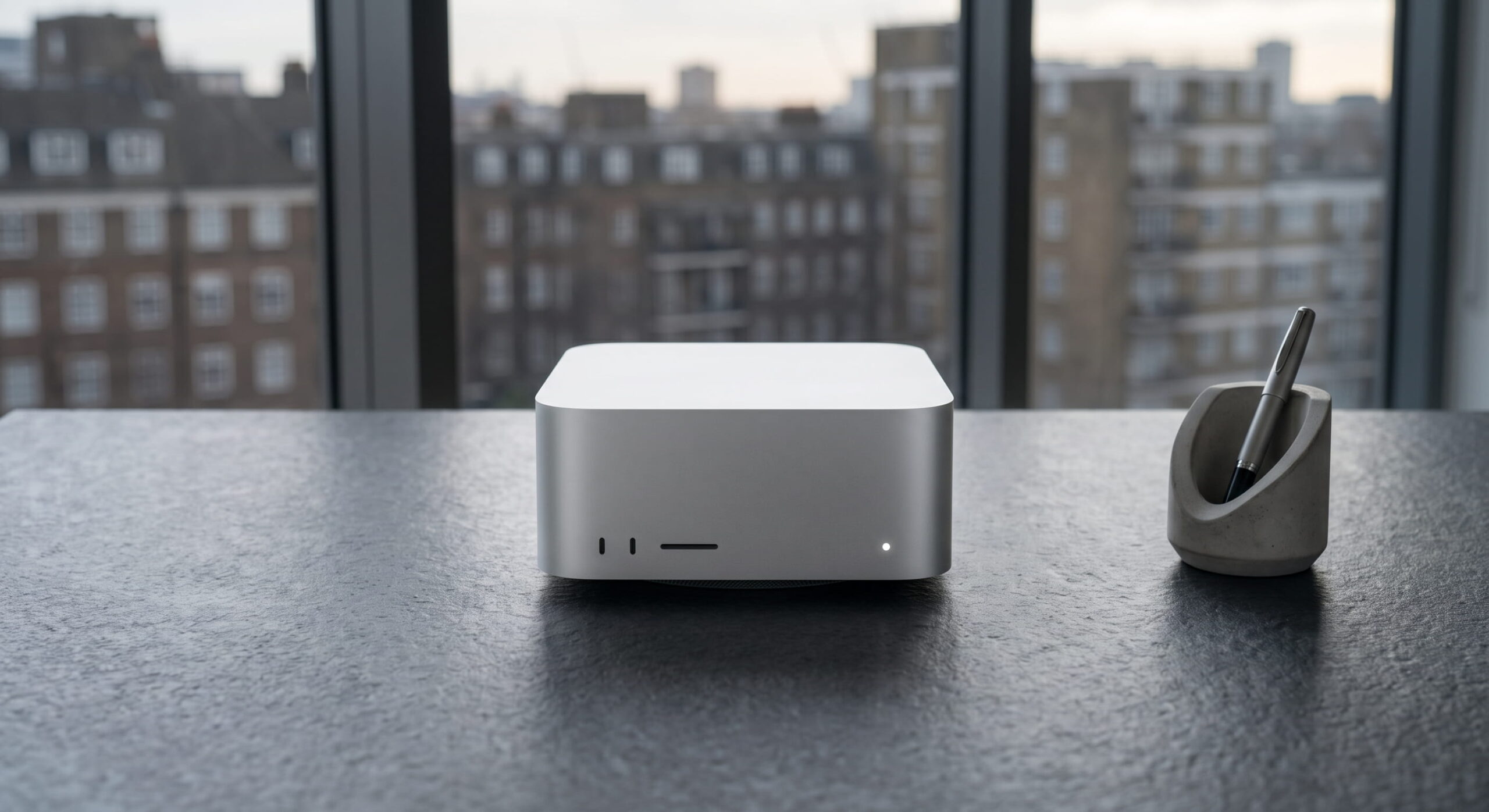
The M6 arrived in the new Mac mini. It is Apple’s first 2-nanometer chip, with a 12-core CPU, a 12-core GPU and a Dual 16-core Neural Engine. It supports up to 32GB of unified memory. Apple positions it for everyday users, developers and, notably, AI hobbyists who want to run models on device.
The M5 Ultra arrived in the new Mac Studio. This is the serious one. It is Apple’s most powerful chip to date, built from a new quad-die architecture, with up to a 36-core CPU, up to an 80-core GPU, and here is the headline figure, up to 512GB of unified memory with 1.2TB per second of memory bandwidth. The Mac Studio also comes in an M5 Max configuration with up to 128GB of unified memory.
The chips are fast, and the graphics are faster still. But the reason this launch matters beyond the usual upgrade cycle is that memory figure, because unified memory is the thing that determines whether a Mac can run a large AI model without help from the cloud.
What “running AI locally” actually means
Most people use AI through the cloud. When you type into ChatGPT, Gemini or a similar service, your words travel to a data centre, the model runs there, and the answer comes back. The model is not on your device. Your data is not on your device while it is processed. It is on someone else’s servers.
Running AI locally means the opposite. The model runs on the Mac itself. Your prompt, the data you feed it and the answer it produces never leave the machine. Nothing travels to a data centre. Nothing is processed on infrastructure you do not control.
The barrier to doing this has always been memory. Large language models are big, and to run one the machine needs enough memory to hold the entire model at once. Consumer machines simply did not have enough. That is what has changed. Apple explicitly states that the M5 Ultra, with its up to 512GB of unified memory, lets users run huge LLMs with hundreds of billions of parameters entirely on device. Even the M6 Mac mini, at up to 32GB, is designed to run capable models locally for private tasks.
In plain terms, these Macs are now powerful enough to run serious AI without the cloud. That moves local AI from a hobbyist experiment to something a business can genuinely use.
Why this is a data security story, not a performance story
Here is where it matters for your business. The single biggest concern businesses have about AI is not whether it is clever enough. It is where the data goes.
Every time an employee pastes something into a cloud AI tool, that information leaves your control. A contract, a client record, a piece of financial data, a legal document, a patient detail. It travels to a third-party service, gets processed on infrastructure you do not own, and may, depending on the service and its terms, be retained or used in ways you cannot see. For a business handling sensitive or regulated data, that is a genuine problem, and it is the reason many firms have either banned AI tools outright or are quietly worried about the ones their staff use anyway.
Local AI removes that problem at the root. If the model runs on the Mac and the data never leaves the device, there is no third-party service to trust, no data leaving your control and no cloud retention to worry about. The sensitive document stays on the machine it started on.
For sectors where this matters most, and nDuo works with a lot of them, finance, legal and healthcare, this is significant. It means the productivity benefits of AI become available without the data governance nightmare that cloud AI creates. The new Mac hardware is what makes that practical rather than theoretical.
The shadow AI problem this helps solve
Most businesses already have an AI problem they may not fully see. Employees are using AI tools whether the business has approved them or not. They paste work into ChatGPT to summarise it, into other tools to rewrite it, into whatever is convenient. This is shadow AI, unapproved tools handling company data, and it is one of the fastest-growing data security concerns for UK businesses.
You cannot easily stop it by policy alone, because the tools are useful and people will find them. What you can do is offer a sanctioned alternative that is genuinely private. Local AI running on a properly managed Mac gives employees the capability they want, the AI assistance that makes them faster, without the data ever leaving the device.
That reframes the conversation from prohibition to provision. Instead of telling staff not to use AI, you give them a version that is safe by design. The new hardware is what makes that a realistic option rather than a compromise.
Powerful hardware still needs to be managed
A word of realism, because this is where a powerful new Mac can quietly become a liability rather than an asset.
A Mac Studio with 512GB of memory running local AI models is an extraordinarily capable machine. It is also, if unmanaged, an extraordinarily capable machine sitting outside your security controls. The power that lets it run a large language model locally is the same power that makes it a valuable target and a significant data store. Local AI means sensitive data is being processed and potentially cached on the device, which raises the stakes on getting the fundamentals right.
The security basics matter more, not less, on these machines. FileVault encryption so the data at rest is protected. Proper enrolment and supervision so the device is genuinely under management. Patching kept current so vulnerabilities are closed quickly. Access control so only the right person can reach what is on the machine. Compliance reporting so you can prove all of the above. Running powerful local AI on a Mac that is not properly managed is a data security risk dressed up as a productivity win.
This is the part the hardware announcements do not mention. The capability is real, but capability without management is exposure. Getting the value out of these machines safely means treating them as what they are, powerful endpoints handling sensitive data, and managing them accordingly.
Governing AI that runs on the device
There is a further wrinkle that the hardware announcements do not touch, and it is the one that matters most for governance. When AI runs in the cloud, your security tools can at least see it. Network monitoring and cloud-based controls can observe the traffic leaving the device, flag it and, where needed, block it. A local model breaks that entirely. It runs as a process on the Mac, in the machine’s own memory, and generates no network traffic for a proxy to inspect. To everything watching the network, nothing is happening at all.
That is precisely what makes on-device AI so hard to govern. The property that makes it attractive for privacy, that data never leaves the machine, is the same property that makes it invisible to the traditional security tooling most businesses rely on. You cannot govern what you cannot see, and a local LLM is, by design, something the network cannot see.
A new category of control has emerged
This is a genuinely new problem, and the tooling to address it is only now emerging. Jamf, the leading Apple management platform, launched a capability called AI Governance in mid-2026, described as the first native, OS-level AI control plane for Mac. Rather than watching the network, it works at the level of the device itself. It discovers which AI tools are actually in use across a fleet, applies policy controls to them, and produces audit-ready reporting on AI activity. Because it operates on the endpoint rather than the network, it can see AI processes that cloud and network tools miss.
It is worth being accurate about where this stands, because the category is early. At launch, Jamf AI Governance targets a defined and growing set of AI tools and agentic clients rather than every possible local model a user might run. It is not a finished, catch-all answer to governing any on-device AI. What it represents is the arrival of a new category of control, one that exists precisely because AI running locally on Apple silicon sits beyond the reach of everything that governs AI in the cloud. As the new hardware pushes local AI into the mainstream, that category will only grow in importance.
What this means for your business
The practical takeaway for a business is this. If you are going to allow, or you already have, AI running on your Macs, you need a way to see it, control it and report on it at the device level. Network controls alone will not do it. That is an endpoint management question, and it is exactly the kind of capability that belongs alongside the encryption, patching and access control that already keep a managed Apple fleet compliant.
Should your business rush out and buy one?
Not necessarily, and it is worth being honest about that. The M5 Ultra Mac Studio is a professional workstation aimed at developers, AI researchers, filmmakers and data scientists. Most businesses do not need 512GB of unified memory or the ability to run a frontier AI model locally. For the majority, the more modest new Macs, or the ones they already own, are perfectly capable for day-to-day work.
The point is not that every business should buy the most powerful Mac available. The point is that local, private AI has crossed the line from impractical to genuinely usable, and that opens a real option for businesses that care about data security. If AI assistance would help your team but data governance has held you back, on-device AI is now a serious answer, and the hardware to run it exists.
For businesses in regulated sectors specifically, this is worth a proper conversation. The combination of capable Apple hardware, local AI and correct device management offers a way to get the benefits of AI while keeping sensitive data genuinely private. That is a stronger position than either banning AI or accepting the risks of cloud tools.
How nDuo helps
We help UK businesses get the value out of their Apple fleet safely, and that increasingly includes the governance questions that local AI raises. That means making sure the powerful Macs handling your most sensitive work are properly encrypted, enrolled, patched and compliant, and that you have visibility and control over the AI running on them, so the capability is an asset rather than an exposure.
If your business is thinking about how to use AI without handing your data to third-party services, or you are investing in capable new Apple hardware and want it managed to the standard that sensitive data demands, that is exactly the kind of work we do. We make sure the fundamentals, Cyber Essentials alignment, encryption, patching and access control, are genuinely in place across your Apple fleet.
Read our guide on why the 14-day patching window is no longer enough to understand how we keep powerful endpoints current, or our Apple IT support page for how we manage Apple fleets for UK businesses.
Book a free consultation with our team to talk through secure Apple management and where on-device AI could fit in your business.