Blog

Apple Business: What It Is and What UK Businesses Need to Know

Apple Business: What It Is and What UK Businesses Need to Know

Three weeks from now, Apple Business Manager will no longer exist.

On March 24 2026, Apple announced Apple Business, a new all-in-one platform that replaces Apple Business Manager, Apple Business Essentials, and Apple Business Connect in one move. It launches on April 14 2026, free of charge, in more than 200 countries including the UK.

If your company uses Apple Business Manager today, your account will automatically migrate. Nothing will break. But a lot will change.

And if you are an IT Director or CTO at a UK scale-up with an Apple fleet, there is a more important question to answer than what is changing. It is whether Apple’s built-in MDM is actually enough for your business, or whether you still need a dedicated MDM platform like Jamf or Mosyle alongside it.

The honest answer is nuanced. And that is exactly what this guide covers.

What Is Apple Business and What Replaced What?

Apple Business is Apple’s attempt to bring everything a business needs into one platform. It consolidates three previously separate products.

Apple Business Manager was the free portal that IT teams used to enrol devices, distribute apps, and create Managed Apple Accounts. It was the backbone of every enterprise Apple deployment but was not an MDM itself. It needed Jamf, Mosyle, Addigy or Intune to actually manage devices.

Apple Business Essentials was Apple’s own paid MDM service, available in the US since 2021 but never fully rolled out in the UK. It was designed for small businesses without IT teams and offered basic device management at around $2.99 per device per month.

Apple Business Connect was the tool businesses used to manage how their brand appeared across Apple Maps, Wallet and other Apple services.

All three are being retired on April 14 and replaced by Apple Business. One platform, free of charge.

What Apple Business Actually Does

Apple Business is built around four areas.

Built-in MDM

This is the headline feature and the one most relevant to IT teams. Apple Business includes device management natively, no separate subscription required. You can configure device settings, push apps, enforce security policies, and create Blueprints to enable zero-touch deployment.

Blueprints are preconfigured templates that define exactly how a device should be set up. Which apps are installed, which security policies are enforced, which settings are applied. When a new Mac or iPhone arrives, it checks Apple’s servers, picks up its Blueprint, and configures itself automatically. Your new employee unpacks their device and it is ready to use.

This zero-touch deployment capability was previously only available through Apple Business Manager combined with a third-party MDM. It is now built in.

Apple Business Blueprints – How They Work in Practice


Blueprints are the most powerful feature Apple Business MDM introduces for UK businesses. A Blueprint is a preconfigured template that defines exactly what happens when a device is enrolled, which apps are installed, which security policies are enforced, which settings are applied and which restrictions are in place.

You create a Blueprint in the Apple Business dashboard, assign it to a device group and any device purchased through Apple or an authorised reseller that joins that group configures itself automatically on first boot. The employee unpacks the device, powers it on, signs in with their Managed Apple Account and within minutes the device is enrolled, configured and ready to use. No IT engineer needs to touch it.

In practice, a Blueprint can configure:

– Passcode and screen lock requirements.
– FileVault encryption on Mac.
– Wi-Fi and VPN settings.
– Restriction profiles preventing App Store access, disabling certain system preferences, controlling AirDrop settings.
– App assignments – pushing specific apps silently to the device.
– OS update policies – prompting users to update within a set timeframe.

Where Blueprints fall short:

Blueprints are significantly less granular than configuration profiles available in Jamf Pro or Iru. Businesses needing CIS benchmark enforcement, custom security baselines or complex conditional configuration profiles will quickly find Blueprint options too limited. There is also no scripting capability, you cannot run shell scripts across devices via Blueprints the way you can in Jamf.
For simple Apple-only fleets with straightforward requirements, Blueprints are sufficient. For anything more complex, a dedicated MDM provides significantly more control.

Managed Apple Accounts

Managed Apple Accounts separate company data from personal data on the same device, using cryptographic separation enforced at the operating system level. Account creation can be automated through integration with Google Workspace, Microsoft Entra ID, and other identity providers.

Business Email, Calendar and Directory

Apple Business now includes business email and calendar services with custom domain support. This is genuinely new for UK businesses. Apple is positioning itself as a lightweight alternative to Google Workspace or Microsoft 365 for smaller companies.

Brand Management

Everything that was in Apple Business Connect now moves into Apple Business. This includes managing how your business appears in Apple Maps, Wallet, Mail and other Apple services, rich place cards, brand profiles, location insights, and showcases.

What Apple Business MDM Can Do: The Full Picture

For UK businesses evaluating whether Apple Business MDM is sufficient, here is a clear breakdown of capabilities.

Zero-touch deployment via Blueprints Devices purchased through Apple or authorised resellers can be automatically enrolled and configured without IT touching them. A new employee can unbox a Mac and be working within minutes.

App distribution Push apps to individual employees, teams or the whole organisation directly through the App Store. No Apple ID required on the device.

Device and security settings Configure passcode requirements, screen lock, encryption settings, and OS update policies across your fleet.

Managed Apple Accounts Cryptographic separation of work and personal data. Automated account provisioning through your identity provider.

Employee groups and role management Create groups by team or function. Assign specific apps and permissions to each group. Create custom roles for more granular access control.

Admin API Programmatic access to device, user, audit, and MDM data for larger deployments or automation workflows.

Companion employee app Employees can install work apps, view the company directory, and request IT support from a dedicated app. Important caveat: this requires iOS 26, iPadOS 26, or macOS 26, operating system versions that have not been released yet.

What Apple Business MDM Cannot Do: The Honest Assessment

This is where the conversation gets important for growing UK businesses.

Apple Business MDM is designed explicitly for small businesses without dedicated IT resources. Apple has been transparent about this positioning. For companies with a simple, non-regulated setup and no dedicated IT requirements, it is likely sufficient and the price is unbeatable.

But once your compliance requirements mature, your fleet grows in complexity, or your business becomes subject to regulatory scrutiny, Apple Business MDM hits clear limits.

No advanced configuration profiles

Jamf Pro and Mosyle offer hundreds of granular configuration options that go far beyond what Apple Business MDM supports. Custom security baselines, CIS benchmark enforcement, and bespoke workflow automation are simply not available.

No Cyber Essentials or ISO 27001 compliance reporting

If you are working toward Cyber Essentials certification or ISO 27001, you need to evidence your compliance posture to an auditor. Apple Business MDM does not generate the compliance reports your auditor needs. Jamf and Mosyle do.

No third-party security integrations

Jamf integrates with CrowdStrike, SentinelOne, Microsoft Defender and dozens of other security tools. Apple Business MDM does not. For regulated industries such as fintech, legal, and healthcare, this is a significant gap.

No Android or cross-platform management

Apple Business MDM manages Apple devices only. If your team uses Android phones or personal devices, you need a separate solution. Intune handles this, as does a properly configured BYOD programme with Jamf or Mosyle.

No advanced patch management automation

Keeping macOS and app versions up to date across a fleet requires more sophistication than Apple Business MDM offers. Jamf Pro’s patch management capabilities automate this at scale. Apple Business MDM requires more manual oversight.

No scripting or automation at scale

Running custom scripts across your fleet, whether for configuration, diagnostics, or automation, requires Jamf or a comparable platform. This is a critical capability for IT teams managing more complex environments.

Limited support for regulated environments

Companies in financial services, healthcare, and other regulated sectors need to demonstrate precise control over their device estate. Apple Business MDM is not designed for this level of governance.

Companion app requires OS versions not yet released

The Apple Business employee app and the email, calendar and directory features require iOS 26, iPadOS 26 and macOS 26. These operating systems have not launched yet. Businesses expecting full functionality from day one on April 14 will need to wait.

Who Apple Business MDM Is Right For

Apple Business MDM is a genuinely good solution for the right type of company. These are the businesses it was designed for.

It is designed for businesses with a small, straightforward Apple-only fleet of up to 25 devices, no dedicated IT team, no complex compliance requirements, and no regulated data. If you are an early-stage startup getting Apple management in place for the first time, Apple Business MDM is a solid, free starting point.

For these businesses, Apple Business MDM is a significant step forward from having no device management at all. It is free, it is built by Apple, and it handles the fundamentals competently.

Who Still Needs Jamf, Iru(Kandji), Mosyle or a Dedicated MDM

Businesses that need a dedicated MDM platform are those with a complex setup regardless of fleet size, whether that is 20 devices in a regulated fintech or 200 across multiple locations. This includes companies working toward Cyber Essentials certification or ISO 27001, operating in regulated industries such as fintech, legal, or healthcare, or running a mixed fleet with Android devices or BYOD. If your IT team manages scripts, automation and custom workflows, or you need compliance reporting for an auditor, third-party security integrations, or a platform that scales with rapid growth, Apple Business MDM will not cover your requirements.

For these businesses, which describes the majority of nDuo’s clients, Apple Business MDM is a starting point, not a destination. It handles enrolment and basic configuration well. It does not handle the security, compliance, and governance requirements of a business operating under scrutiny, regardless of size.

What Changed When Apple Business Launched and What You Need to Do

Apple Business launched on 14 April 2026. If your business was using Apple Business Manager before that date, your account migrated automatically. Here is a clear picture of what changed, what stayed the same and what you need to review.

What migrated automatically:

  • Your existing device enrolments transferred without any action required.
  • App licences purchased through Apple Business Manager carried over.
  • Managed Apple Accounts for your team remained active.
  • Your integration with any third-party MDM – Jamf, Iru, Intune or others, continued without interruption.
  • Automated Device Enrolment assignments stayed in place.

What is new that you should set up:

Blueprints are a new capability that did not exist in Apple Business Manager. If you were previously relying entirely on your third-party MDM for configuration, Blueprints can now handle basic device configuration independently. Whether you use them depends on your existing MDM setup.

Employee groups and role management are more structured in Apple Business than they were in Apple Business Manager. Review your existing user groups and update them to take advantage of the new role-based management capabilities.

Business email and calendar with custom domain support is a new feature. If your business currently uses Google Workspace or Microsoft 365, you do not need to migrate, but it is worth understanding what Apple Business Email offers if you are evaluating your options.

What requires no action:

If you are running Apple Business Manager alongside a dedicated MDM like Jamf Pro, Iru or others, your setup continues to work exactly as before. Apple Business is additive, it adds new capabilities on top of your existing stack without removing anything. The MDM relationship between Apple Business and your third-party platform remains identical to the Apple Business Manager relationship.

The one thing to check:

Review your Managed Apple Accounts configuration and confirm that automated account provisioning through your identity provider like Google Workspace, Microsoft Entra ID or Okta is still working correctly post-migration. This is the most common area where businesses encounter issues after the transition.

How Much Does Apple Business Cost?

The core Apple Business platform is free. There are no per-device fees, no subscription tiers and no licence costs for the MDM layer, Blueprints, device enrolment, Managed Apple Accounts, app distribution, business email or brand management.

Apple Business includes options to purchase upgraded iCloud storage and support with AppleCare+ for Business as paid add-ons. AppleCare+ for Business is available per device or per user, starting at $6.99 per month per device or $13.99 per month per user covering up to three devices. UK pricing for these add-ons has not yet been officially confirmed by Apple, the published pricing references the US market. UK pricing will be confirmed when Apple finalises the rollout of paid features in the UK

What nDuo Recommends for UK Businesses

Apple Business is a welcome development. Making device management accessible to every UK business regardless of size or IT budget is genuinely good for the ecosystem. Small businesses that previously had no device management at all now have a solid, free starting point built directly into Apple’s platform.

But for UK businesses with compliance obligations, regulated clients, or any complex MDM requirements regardless of fleet size, Apple Business MDM is the foundation, not the full solution. You still need a dedicated MDM platform to handle the depth of configuration, compliance reporting, and security integration that your business requires.

The best approach for most growing UK businesses is Apple Business for enrolment and identity management, combined with Jamf Pro or Mosyle for device management, security policies and compliance.

nDuo configures exactly this kind of setup for UK businesses every day. As an Apple Premium Technical Partner with 14 years of Apple experience, we can assess your current Apple fleet, recommend the right MDM platform for your requirements, and get everything configured and compliant including for Cyber Essentials certification.

Ready to Find Out If Apple Business MDM Is Right for Your Business?

Apple Business launches in the UK on April 14. Whether you are an existing Apple Business Manager user wondering what changes, a business considering MDM for the first time, or a growing company unsure whether Apple’s built-in MDM covers your needs, now is the right time to get clarity.

As an Apple Premium Technical Partner, nDuo offers a free assessment to help you understand whether Apple Business MDM is the right fit for your business or whether a dedicated MDM platform like Jamf or Mosyle is the better path.

If Apple Business MDM is right for you, we can guide you through the setup and deployment so you are ready from day one. If your business needs something more advanced, we will tell you honestly and help you build the right solution.

No obligation. No jargon. Just a straight conversation with an Apple specialist who knows this platform inside out.
Book your free Apple Business MDM assessment today.

What Is BYOD? Bring Your Own Device Explained for UK Businesses

What Is BYOD? Bring Your Own Device Explained for UK Businesses

BYOD stands for Bring Your Own Device. It describes any arrangement where employees use personally owned phones, tablets or laptops to access company systems, data or applications. For UK businesses, the question is rarely whether BYOD is happening, it is whether anyone has made it secure.

Imagine the story: It is 9am on a Tuesday and you are three weeks away from your Cyber Essentials audit.

Your IT infrastructure is in good shape. Your Macs are enrolled in Jamf, your security policies are configured, your firewall is solid. You have done the work. You are ready.

Then your auditor sends over the pre-assessment questionnaire.

One question stops you cold.

“How many personal devices currently have access to your company email, Slack, or business applications?”

You stare at it. A new tab opens. Closes again. The honest answer is: you have no idea.

You think about your sales team. Three of them check Slack on their personal iPhones on the weekend. Your Head of Engineering accesses the company GitHub on his personal MacBook when he is travelling. Your CEO has had company email on her personal phone since the day she joined. Nobody ever set this up formally. It just happened, one device at a time, over years of rapid growth.

And now, three weeks before your Cyber Essentials audit, you are realising that your carefully managed Apple fleet is only part of the picture. The other part the unmanaged, unseen, uncontrolled part is sitting in people’s pockets right now.

This is the BYOD problem. And if you are reading this, there is a very good chance it is your problem too.

You Are Not Alone

A 2024 survey by Cisco found that over 70% of employees use personal devices to access company data at least occasionally. In fast-growing UK scale-ups, that number is almost certainly higher. When companies grow quickly, formal IT policies struggle to keep pace with the reality of how people actually work.

Personal devices creep into the workflow gradually. Someone checks their work email on their personal iPhone during a bank holiday. A developer pushes a hotfix from their home MacBook. A new starter connects to company Slack before their work laptop arrives. Each of these moments feels harmless. Collectively, they create a sprawling, invisible attack surface that your IT team has no visibility over and no control of.

The problem is not your people. The problem is the absence of a framework that allows personal device use to happen securely, with the right boundaries in place.

That framework is called BYOD. And getting it right is one of the most important things a growing UK business can do.

What BYOD Actually Is

BYOD stands for Bring Your Own Device. It describes any situation where employees use personally owned devices, iPhones, Android phones, personal MacBooks, iPads, to access company systems, data, or applications.

BYOD is not inherently risky. In fact, when managed correctly, it can reduce hardware costs, improve employee satisfaction, and give your team the flexibility to work the way they want to work. The problem is not BYOD itself. The problem is unmanaged BYOD personal devices accessing company data with no security policy, no visibility, and no controls in place.

Managed BYOD means:

Your IT team knows which personal devices have access to company systems. Security policies are applied to those devices without invasive monitoring of personal content. Employees can use their personal devices freely for personal use, with company data kept separate and protected. If a device is lost or stolen, company data can be remotely wiped without touching personal photos, messages or apps. If an employee leaves, company access is revoked instantly, without affecting anything personal on the device.

This is the goal. A clear separation between work and personal, enforced by technology, understood by everyone.

Why BYOD Matters More Than Ever

Three forces have converged to make BYOD one of the most pressing IT challenges for UK scale-ups right now.

The first is hybrid working. Since 2020, the boundary between work devices and personal devices has blurred significantly. People work from home, from coffee shops, from airports. They switch between devices constantly. The idea that company data only lives on company-owned hardware is no longer realistic for most organisations.

The second is Cyber Essentials. The UK government’s Cyber Essentials certification scheme, which is increasingly required by enterprise clients, investors, and regulated industries, now explicitly includes personal devices in scope if those devices access company data. This is the question that stopped you cold in your audit questionnaire. If personal devices are accessing your systems and they are not enrolled in your MDM, you cannot certify. It is that simple.

The third is the talent market. Top candidates, particularly in tech and fintech, expect flexibility. A rigid “company devices only” policy is increasingly seen as a red flag. A well-designed BYOD programme lets you offer flexibility without compromising security.

When It Goes Wrong: The Story of a Leak That Changed Everything

In 2020, one of the most significant social media security breaches in history was traced back partly to compromised contractor devices. The attackers used social engineering to gain access to internal tools, eventually taking over high-profile accounts. The investigation revealed that the attack surface included personal and contractor devices that were not under centralised security control.

But you do not need to look at headline breaches to understand the risk. The more common story is quieter and closer to home.

Picture this. A sales manager at a London fintech resigns after three years. She has been a high performer, well-liked, no bad blood. Her company laptop is wiped and collected on her last day. Standard offboarding, done properly.

What nobody checks is her personal iPhone. For two years, she has had the company CRM accessible through a mobile app on her personal phone. She has company email in her native mail app. She has the shared Slack workspace. None of it was formally enrolled or managed because it was her personal device and nobody thought to include personal devices in the offboarding checklist.

Three months later, a competitor wins a pitch using detailed knowledge of your pricing structure, your client relationships, and your sales methodology. The information was accurate. It was recent.

You will never be able to prove what happened. But you know.

This is not a hypothetical. Variations of this story happen across UK businesses every week. The device that walks out the door on an employee’s last day is rarely their work laptop. It is the personal phone in their pocket that nobody ever enrolled, monitored, or offboarded.

The Privacy Question: What Can Your Company Actually See?

This is the question every employee asks when BYOD is mentioned. And it is a completely reasonable one.

The short answer is: when BYOD is set up correctly using MDM, your company cannot see your personal data. Full stop.

Here is what that means in practice when nDuo sets up BYOD MDM enrolment for personal devices using tools like Jamf, Intune, Kandji, FleetDM:

What your company CAN see and manage on a personal device enrolled in BYOD MDM: whether the device has a passcode set, whether the operating system is up to date, whether the device is encrypted, which work apps are installed, and the status of work-related security policies.

What your company CANNOT see: your personal photos, messages, emails, browsing history, personal apps, location outside of work hours, or any personal data on the device.

The MDM profile creates a managed container for work data. Everything outside that container is invisible to your IT team. Your personal life remains entirely private.

This separation is not just a policy choice, it is a technical reality built into how modern MDM platforms work on iOS and macOS. Apple’s architecture specifically prevents MDM from accessing personal data. It is enforced at the operating system level, not just through company promises.

When we roll out BYOD MDM to employees, we always walk through exactly what is and is not visible. Transparency builds trust. Employees who understand the privacy boundaries re far more likely to enrol their devices willingly and maintain compliance going forward.

BYOD and Cyber Essentials: What You Need to Know

If your business is working toward Cyber Essentials or Cyber Essentials Plus certification, BYOD is not optional, it is in scope.

The Cyber Essentials framework requires that all devices accessing company data meet a minimum security standard. This includes personal devices. If an employee’s personal iPhone has your company email configured on it, that device falls within the scope of your Cyber Essentials assessment.

The practical implications are significant. Your personal devices must have a passcode or biometric lock enabled. The operating system must be up to date. The device must not be jailbroken or rooted. Access to company applications must be revocable by your IT team.

Without MDM enrolment, you cannot evidence any of this to your auditor. You are relying on self-reporting from employees, which is not sufficient for certification.

This is one of the most common reasons UK scale-ups fail their first Cyber Essentials assessment. Not because their core infrastructure is insecure, but because personal devices were not in scope and nobody had visibility of them.

nDuo has helped companies including Revolut, Kroo and BOXPARK navigate this exact challenge. Getting personal devices into scope, enrolled, and compliant before an audit is one of the highest-value things we do.

GDPR and Personal Devices: The Legal Dimension

If your employees access personal data, customer records, employee information, financial data on personal devices, you have a GDPR obligation to ensure that data is protected.

Under GDPR, your organisation is responsible for the security of personal data regardless of what device it sits on. If an employee’s unmanaged personal phone is lost or stolen and it contains customer data, you may have a reportable data breach on your hands. The ICO does not accept “it was on their personal phone” as a defence.

A proper BYOD policy with MDM enrolment gives you the ability to demonstrate to the ICO that appropriate technical measures were in place. Remote wipe capability, encryption requirements, and access controls are all things you can evidence with the right setup.

Without a BYOD policy and MDM enrolment, you cannot demonstrate any of this. And in the event of a breach, that absence will be noticed.

nDuo’s BYOD Discovery and Setup Process

When a new client comes to us with a BYOD challenge, here is exactly how we approach it.

Step 1: Discovery

We start by understanding the full picture. Which company systems can be accessed from personal devices? Which applications have mobile access? What does your current onboarding and offboarding process look like for personal devices? Are there any existing MDM policies in place? This discovery phase typically takes one to two days and involves conversations with IT, HR, and senior leadership.

Step 2: Risk Assessment

Once we know the landscape, we assess the risk. We identify which personal device access points represent the highest risk to your business, typically company email, messaging platforms like Slack, and any CRM or financial applications. We look at your Cyber Essentials and ISO 27001 requirements and map them against your current personal device posture.

Step 3: Policy Design

Before any technical implementation begins, we design your BYOD policy. This is a written document that sets out what personal device use is permitted, what security requirements apply, what employees consent to when they enroll, and what happens when they leave. Clear policy documentation is essential for Cyber Essentials certification and for employee trust.

Step 4: MDM Configuration

We configure your chosen MDM platform, such as Jamf, Intune, Kandji, FleetDM and more to support BYOD enrolment. This involves creating a separate enrolment profile specifically for personal devices, configuring the managed container for work applications, setting security policies including passcode requirements and OS update enforcement, and testing the enrolment flow on both iOS and macOS.

Step 5: Employee Communication and Enrolment

This is the step most companies underestimate. How you communicate the BYOD rollout to employees determines how smoothly enrolment goes. We prepare clear communications that explain what enrolment involves, what privacy protections are in place, and why it matters. We run a short walkthrough session for employees and handle any questions about privacy directly. Typically we achieve enrolment rates of 90% or higher when communication is handled well.

Step 6: Offboarding Integration

We update your offboarding checklist to include personal device unenrolment as a standard step. This is the gap that causes the data leak scenarios described earlier. With MDM in place, unenrolling a personal device on an employee’s last day takes 30 seconds and ensures company data is removed completely.

Step 7: Ongoing Monitoring

Once BYOD MDM is live, your IT team has a dashboard showing all enrolled personal devices, their compliance status, and any security issues. You can see at a glance which devices are up to date, which have outstanding issues, and which have been unenrolled. The invisible attack surface becomes visible.

What Good BYOD Looks Like in Practice

A well-run BYOD programme is one that employees barely notice day to day. They enroll their device once, they use their work apps as normal, and they have complete confidence that their personal data is untouched.

For your IT team, it means the question “how many personal devices have access to our systems?” has an immediate, accurate answer at any point in time. Your Cyber Essentials audit goes smoothly because personal devices are in scope, enrolled, and compliant. GDPR posture is defensible. Offboarding is complete

And when the next talented employee joins and wants to check Slack on their personal iPhone, the answer is not “we do not allow that” it is “here is how to enrol in two minutes.”

Ready to Get Your BYOD Under Control?

If reading this has raised questions about your own personal device posture, you are not alone, and the good news is that getting control of BYOD is straightforward when you have the right partner.

nDuo offers a free BYOD readiness review for UK businesses. We will assess your current personal device posture, identify your key risk areas, and give you a clear picture of what a managed BYOD programme would look like for your organisation.

No obligation. No jargon. Just a clear, honest conversation about where you stand.

Book your free BYOD readiness review today.

Book a free consultation

What is MDM and DDM? Apple Device Management Explained

What is MDM and DDM? Apple Device Management Explained

If you run a business on Apple devices and have started looking into how to manage them properly, you have probably come across the terms MDM and DDM. They sound similar, they are related, but they work in fundamentally different ways.

This guide starts from the beginning with no assumed knowledge and builds up to the real differences between the two, what they mean for your Apple fleet today, and where device management is heading.

What is MDM?

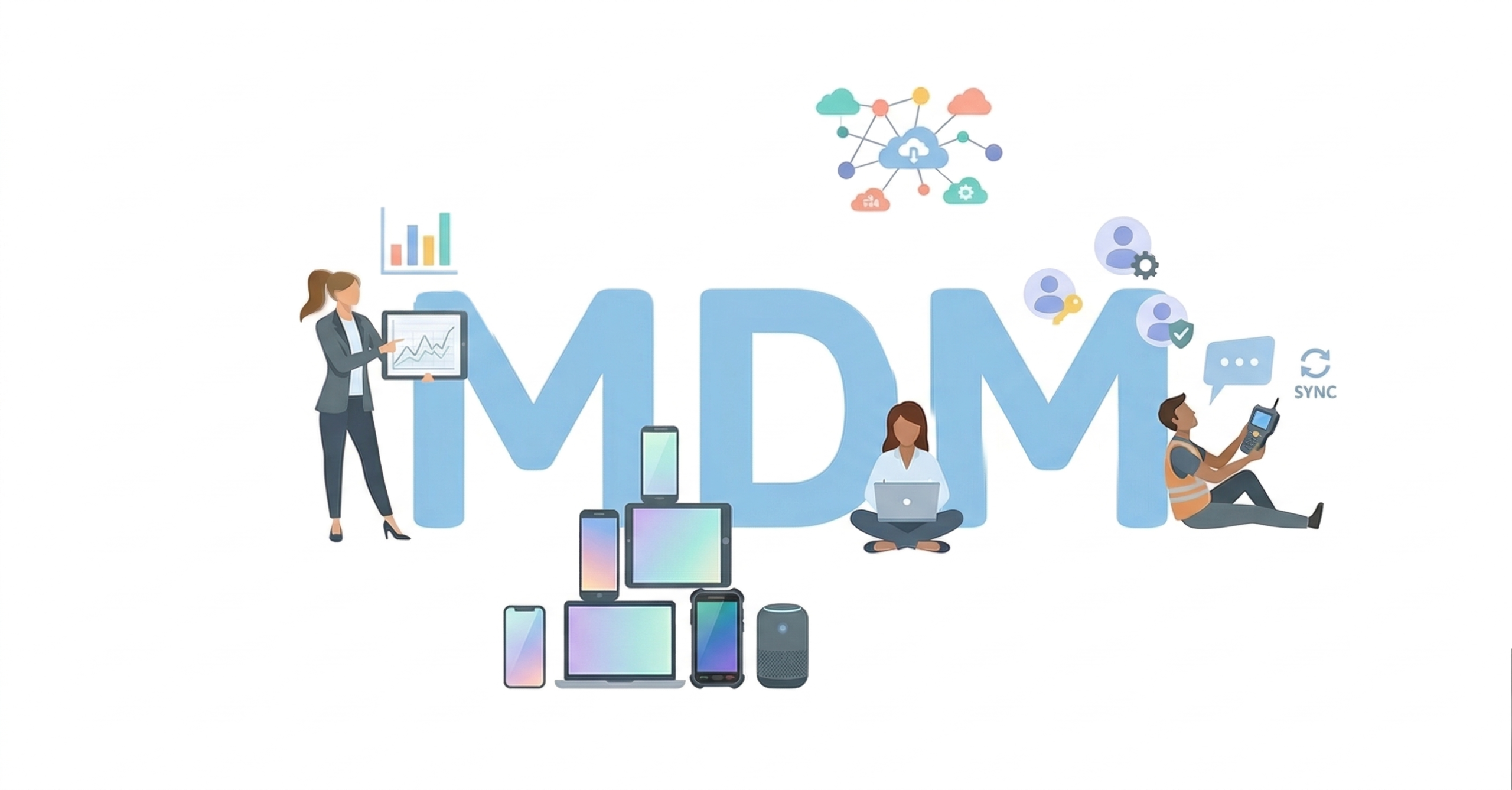
MDM stands for Mobile Device Management. Despite the name, it is not just for mobile phones. MDM is the technology that allows businesses to manage, configure and secure all their Apple devices including Macs, iPhones and iPads from a central platform.

Think of MDM as the control layer between your IT team and every device in your organisation. Without it, every device is essentially independent. With it, you can push settings, enforce security policies, install apps, wipe devices remotely and much more, all without touching the device physically.

MDM was introduced by Apple in 2010 and has become the standard approach to managing Apple fleets in business environments. Every major Apple device management platform including Jamf, Kandji, FleetDM, Intune and others is built on top of the Apple MDM Framework

How does MDM work?

When a device is enrolled in MDM, it establishes a persistent connection with your MDM server. The server can then send commands to the device, and the device reports back its status and compliance.

Here is a simplified version of how that works in practice:

Step 1: Enrolment A device is enrolled in your MDM platform either during initial setup or manually. The most effective way to enrol devices at scale is through Apple Business Manager.

What is Apple Business Manager?

Apple Business Manager is a free web-based portal provided by Apple for organisations. It acts as the central hub that links your Apple devices to your MDM platform automatically.

When you purchase Apple devices through an authorised reseller or directly from Apple, those devices can be added to your Apple Business Manager account before they even leave the warehouse. The moment a new employee turns on their device for the first time, it automatically connects to your MDM platform and begins configuring itself with the right settings, apps and security policies.

This is called Zero Touch Deployment. The device arrives at the employee’s desk, they turn it on, and within minutes it is fully configured and compliant, without an IT engineer needing to touch it.

Apple Business Manager also manages Apple IDs for your organisation, app purchases through Volume Purchase Programme, and content distribution across your fleet.

Once a device is enrolled through Apple Business Manager it trusts the MDM server to send it instructions and cannot easily be removed from management, which is important for security and compliance.

Step 2: Profiles and policies

Your IT team creates configuration profiles, which are sets of rules and settings, and pushes them to devices. These might include password requirements, firewall settings, Wi-Fi configurations, app restrictions and more.

Step 3: Commands

The MDM server can send commands to devices such as install this app, update the OS, lock the screen or wipe this device. The device receives the command and carries it out.

Step 4: Reporting

Devices regularly report back to the MDM server with their current state including what OS version they are running, whether policies are applied and whether they are compliant. This gives IT teams visibility across the entire fleet.

DDM improves this further, with devices reporting state changes as they happen rather than waiting to be polled. The practical question is where your team reads that. nDuo iQ is our own app (featured on the Jamf blog) bringing Jamf Pro and Intune into one view, including compliance indicators with a 14-day update grace period aligned to Cyber Essentials.

What can MDM do?

MDM gives IT teams a significant amount of control over Apple devices. Common capabilities include:

  • Enforcing passcodes, screen lock and encryption
  • Pushing and removing applications silently without user interaction
  • Configuring Wi-Fi, VPN and email settings automatically
  • Restricting access to certain features or applications
  • Enforcing OS and security updates
  • Remotely locking or wiping lost or stolen devices
  • Monitoring device compliance against security policies
  • Automating onboarding so new starters receive a fully configured device from day one

For businesses working toward Cyber Essentials, ISO 27001 or similar frameworks, MDM is the primary tool for enforcing and evidencing the required controls across an Apple fleet.

The limitations of MDM

MDM is powerful but it has a fundamental architectural limitation in that it is command-based and server-dependent.

Every action in traditional MDM follows this pattern: the server sends a command, the device waits to receive it, the device executes it and reports back. This works well in most situations, but it creates some real-world problems.

Latency: If a device is offline or has a poor connection, commands queue up and are not executed until the device reconnects. A security policy change might not reach a remote worker’s device for hours.

Scalability: As fleets grow, the volume of commands the server needs to send and track grows with it. Large organisations can experience delays and performance issues at scale.

Reliability: If a command fails silently, the IT team may not know a policy is not applied until they actively check. Compliance drift can happen gradually without anyone noticing.

Complexity: Managing thousands of devices with overlapping profiles and commands can become difficult to audit and troubleshoot.

These are not dealbreakers. MDM has been the industry standard for over a decade and continues to work well for the majority of businesses. But they are the problems that Apple’s newer approach, DDM, was designed to solve.

What is DDM?

DDM stands for Declarative Device Management. Apple introduced it in 2021 as a fundamentally different approach to how devices are managed.

The key difference is this: with MDM, the server tells the device what to do. With DDM, the server tells the device what state it should be in, and the device figures out how to get there itself.

This might sound like a subtle difference but the implications are significant.

How does DDM work?

Instead of sending commands, DDM sends declarations. A declaration is a description of the desired state of the device, not an instruction but a definition.

For example, instead of sending a command that says “install this security profile now”, DDM sends a declaration that says “this device should always have this security profile applied.” The device receives the declaration, understands what it needs to look like, and autonomously works to achieve and maintain that state even when it is offline.

The device also monitors itself continuously. If something changes such as a setting drifting, a profile being removed or an OS update changing a configuration, the device detects the discrepancy and corrects it without waiting for the server to notice and send a new command.

This is the core of what makes DDM different: intelligence moves from the server to the device.

MDM vs DDM: the key differences

MDMDDM
How it worksServer sends commands to deviceServer sends declarations, device self-manages
Offline behaviourCommands queue until device reconnectsDevice maintains desired state autonomously
ComplianceServer checks and enforcesDevice self-monitors and self-corrects
SpeedDepends on server responseNear-instant, device acts independently
ScalabilityCan struggle at large scaleBuilt for scale
Current statusEstablished standardCurrent standard for updates, rapidly expanding across all workflows

Do MDM and DDM replace each other?

No, and this is an important point. DDM does not replace MDM. It works alongside it.

Apple designed DDM as an extension of the existing MDM protocol. Devices that support DDM can use both simultaneously. MDM handles the commands and interactions that DDM does not yet cover, while DDM takes over the configuration and compliance management that it does better.

Think of it as MDM handling the conversations between server and device, and DDM handling the device’s own internal understanding of what it should look like.

The transition is already well underway. Apple deprecated legacy MDM software update commands in 2025 and will remove them entirely in 2026. DDM is no longer a future consideration for software updates it is the current requirement. For other device management workflows, DDM adoption is expanding rapidly with each OS release.

Which platforms support DDM?

All major Apple MDM platforms now support DDM including Jamf Pro, Kandji, FleetDM and Microsoft Intune. Apple deprecated legacy MDM software update commands in 2025, meaning DDM is now the required method for managing software updates across all platforms, with full removal of legacy commands due in 2026.

To take advantage of DDM your devices need to be running recent versions of macOS, iOS and iPadOS. Older devices or older OS versions fall back to traditional MDM automatically, so there is no disruption during a transition.

What does this mean for your Apple fleet?

If you are setting up or reviewing your Apple fleet management today, here is the practical takeaway.

MDM is the foundation. You need it, it works and every reputable MDM platform supports it well. If you are not yet using MDM to manage your Apple devices, getting that in place is the first priority.

DDM is already the standard for software update management following Apple’s deprecation of legacy MDM update commands in 2025, and is rapidly becoming the standard for all other device management workflows too.

When evaluating MDM platforms, the question is not whether a platform supports DDM but how much of its compliance and configuration workflow actually runs through declarations rather than legacy commands.

We manage Jamf Pro, Intune, Iru and FleetDM across UK fleets, and the depth varies more than the marketing suggests. Jamf runs most of its software update and compliance workflow through declarations. Intune has moved software updates to DDM following Apple’s 2025 deprecation, but still handles much of its Mac configuration through legacy profiles. In practice that shows up as how quickly a policy change lands on a device.

For a platform-by-platform assessment, see our MDM comparison for UK businesses.

Summary

MDM has been the standard for Apple device management for over a decade. It gives IT teams centralised control over configuration, security and compliance across an entire fleet.

DDM is Apple’s next step, a smarter and more autonomous approach where devices understand what state they should be in and maintain it themselves, with or without a server connection.

For most UK businesses today, MDM is the foundation and DDM is the direction of travel. Getting MDM right now puts you in the best position to take advantage of DDM as it matures.

How nDuo helps

nDuo is a Jamf Elite Partner (one of only 14 in the UK), a Microsoft Partner, an Iru partner, a FleetDM partner, and one of only 11 Apple Premium Technical Partners in the country. We have managed Apple fleets since 2011 and currently look after more than 15,000 devices for UK businesses including Revolut, Arsenal FC and Kroo.

If you are setting up Apple device management for the first time, moving off an unmanaged fleet, or checking whether your current platform is keeping pace with Apple’s shift to DDM, we will assess your environment and give you a straight recommendation.

Book a free consultation

Related: Jamf Pro vs Microsoft Intune, zero touch deployment, Cyber Essentials for Apple fleets.

Apple IT Support Checklist for UK Businesses

Apple IT Support Checklist for UK Businesses

If your business relies on Macs, iPhones and iPads, good Apple IT support is not just about fixing issues when they happen.

It is about giving your team a reliable, secure and well-managed Apple environment that works properly every day.

For most businesses, problems start when Apple devices are treated as an exception. A few Macs get added over time, iPhones are configured differently across teams, and support becomes reactive. Devices work, but only until something breaks, a new joiner starts, or the business needs tighter security and compliance.

This checklist is designed to help UK businesses review whether their Apple environment is properly set up to support growth.

1. Do you have visibility across all Apple devices?

You should be able to answer basic questions quickly:

  • How many Macs, iPhones and iPads are in use?
  • Who is using each device?
  • Which devices are encrypted, compliant and up to date?
  • Which devices are missing apps, policies or security controls?

If you cannot answer those questions easily, your Apple estate is harder to support than it should be.

A strong Apple support setup starts with clear visibility across devices, users and configurations.

2. Is Apple Business Manager set up correctly?

Apple Business Manager should be part of the foundation of your Apple environment.

It helps you bring devices under business control from the start, assign them properly, and make enrolment more consistent for new hardware. Without it, device setup is often manual, slower and more prone to inconsistency.

If your business is growing, Apple Business Manager should not be an afterthought. It should be part of your onboarding and lifecycle process.

3. Are your devices enrolled in Apple MDM?

For most businesses, MDM is what turns Apple support from reactive to proactive.

Without MDM, your team is left managing devices one by one. That usually means:

  • inconsistent settings
  • slow onboarding
  • weak update control
  • limited security enforcement
  • poor visibility when issues occur

With the right MDM setup, you can standardise policies, deploy apps, manage settings, support users more efficiently and reduce repeat issues.

If your Apple devices are not properly enrolled and maintained, support becomes harder, slower and less secure.

4. Is device setup consistent for every new starter?

A new employee should not need a long manual setup every time they receive a Mac or iPhone.

A good Apple IT support process should make sure new users receive devices that are already prepared with:

  • the right apps
  • the right access
  • the right security settings
  • the right restrictions
  • the right support process from day one

If onboarding depends on tribal knowledge or last-minute manual work, it is worth fixing.

5. Do you have a clear joiner, mover and leaver process?

Apple support is not only about devices. It is also about users, access and change.

When people join, change roles or leave, you need a repeatable process for:

Weak lifecycle management creates unnecessary risk and makes support more difficult over time.

6. Are updates and patching under control?

Apple devices are generally straightforward to maintain, but only if patching is managed properly.

You should know:

  • whether devices are updating on time
  • which versions of macOS and iOS are in use
  • whether critical updates are being delayed
  • how exceptions are handled

If updates depend on end users remembering to do them, your environment will drift and support issues will build up over time.

7. Are security settings applied consistently?

Security should not vary from one device to another.

Your Apple environment should have a defined baseline covering areas such as:

  • FileVault and encryption
  • password and authentication settings
  • screen lock policies
  • app permissions
  • device restrictions
  • lost device procedures
  • access control

Consistency matters. The more variation you have across devices, the more support becomes reactive and the harder it is to maintain a secure environment.

8. Can users get help quickly when something goes wrong?

Even in a well-managed environment, users still need support.

The question is whether support is structured properly.

Think about:

  • how users request help
  • how quickly issues are triaged
  • whether Apple-specific issues are understood first time
  • whether recurring problems are identified and reduced
  • whether MDM, access and device issues are handled together

If support is slow, unclear or split across too many teams, productivity suffers.

9. Are you supporting mixed Apple and Windows environments properly?

Many UK businesses do not run Apple alone.

If your organisation uses both Apple and Windows, your support model needs to reflect that reality. Apple devices should not be treated as edge cases inside a Windows-first process.

The goal should be a support setup where Apple devices are managed properly, users get the same quality of experience, and security standards remain consistent across the business.

10. Are you reviewing and improving the environment regularly?

Good Apple IT support is not a one-off project.

Your setup should be reviewed regularly to identify:

  • support bottlenecks
  • repeat device issues
  • outdated policies
  • gaps in onboarding
  • compliance risks
  • opportunities to simplify management

The best Apple environments are maintained over time, not left untouched after the initial setup.

Signs your Apple IT support needs improvement

If any of the following sound familiar, your current setup may need attention:

  • Devices are configured differently across teams
  • New starters take too long to set up
  • Support tickets keep repeating
  • Apple devices are harder to manage than they should be
  • Security settings are inconsistent
  • Your team lacks visibility across the fleet
  • Apple support depends on one person internally
  • Your business has outgrown its original setup

Final checklist

Before you scale further, ask yourself:

  • Are our Apple devices fully visible and properly managed?
  • Is Apple Business Manager set up and being used correctly?
  • Is MDM supporting the environment properly?
  • Are onboarding and offboarding processes consistent?
  • Are updates, apps and policies under control?
  • Can users get fast, specialist support when needed?
  • Is our Apple environment secure, stable and easy to support?

If the answer to several of those questions is no, it is usually a sign that the business needs a more structured Apple support model.

Need help reviewing your Apple environment?

If you want a clearer picture of how well your current setup is working, explore our Apple IT Support service page to see how we help UK businesses support Macs, iPhones and iPads more effectively.

You can also review your wider device management approach through our Apple MDM services if MDM setup and maintenance is one of the gaps.

Book a free meeting